How to Download 1xBet in Pakistan?
Welcome to the official guide for installing and downloading the 1xBet app in Pakistan. You’ll discover three ways on how to install 1xBet on iPhone/Android, which include APK direct download, iOS app installation, and screen sharing via the mobile browser. With the application, you can register, log in, make deposits, play games, place bets, or even claim bonuses on the go.
Users should visit the official site to confirm the latest version, the 1xBet app system requirements, and the software availability for their region. Most importantly, you should bet responsibly and only install the application if you’re at least 18 years old or above.
What Is 1xBet App?
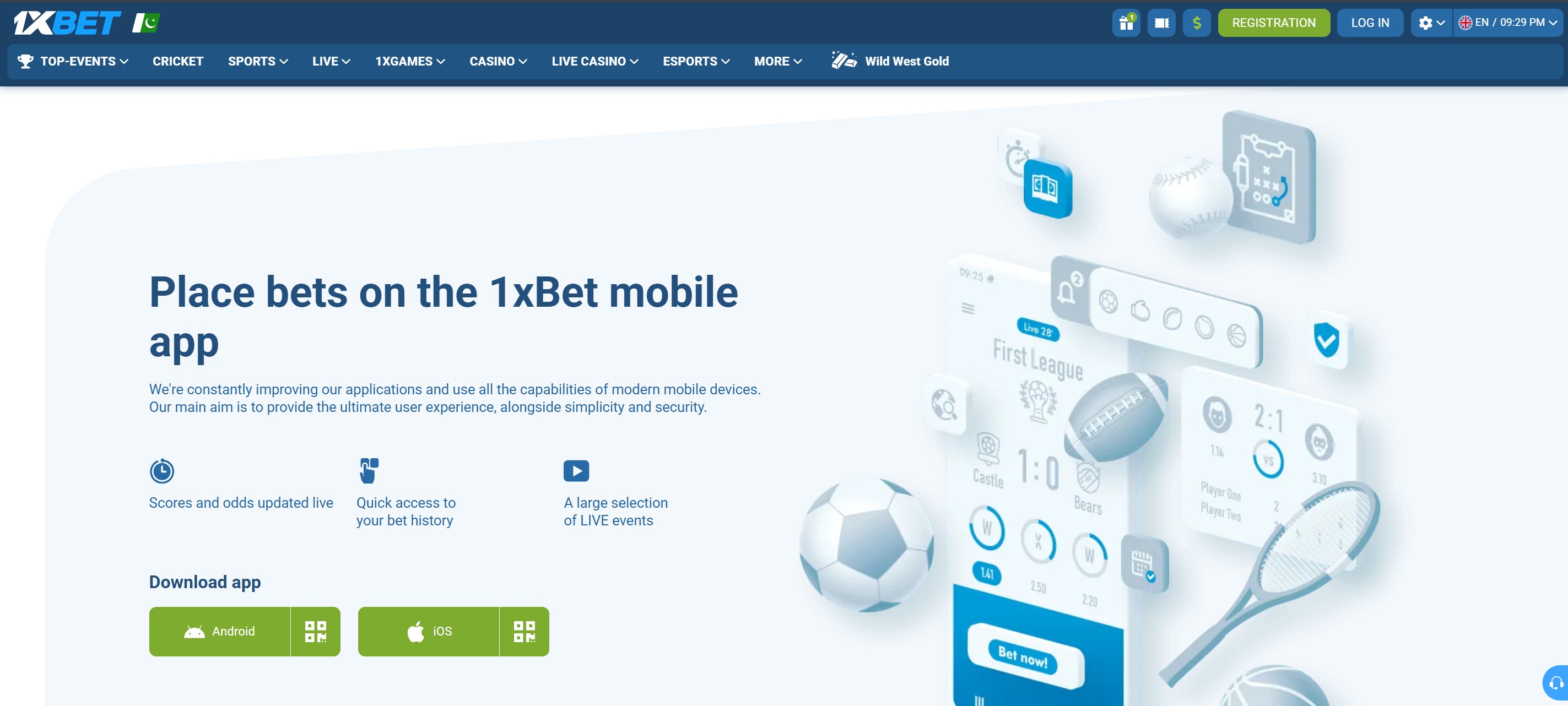
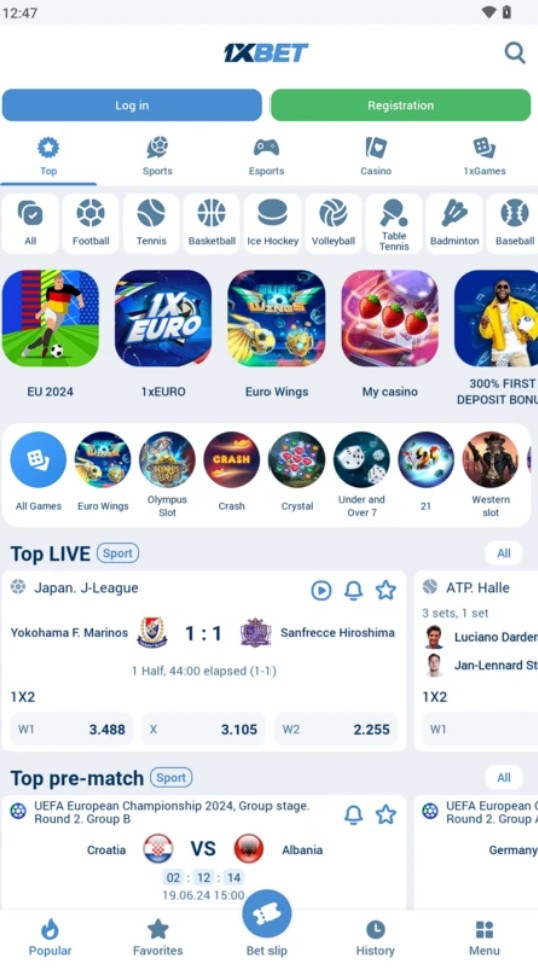
The 1xBet app is a dedicated software designed to run on your phone and tablet. It has the same features as the desktop version and lets you access your account, deposit or withdraw, manage your account, claim bonuses, bet, or contact support on the go.
Feature | Available in the application | Notes |
Sports betting | Yes | Live and pre-match markets. |
Casino | Yes | Thousands of slots (verify the exact figure on the site). |
Live dealer titles | Yes | Blackjack, Roulette, etc. |
1xGames | Yes | Instant arcade games. |
Deposits | Yes | Instant transactions via bank cards, e-wallets, and cryptocurrencies. |
Withdrawals | Yes | Multiple payment options. |
Bonus offers | Yes | A wide variety of bonuses for sports betting and casino gaming. |
Customer support | Yes | 24/7 support for new and existing players. |
How to Download 1xBet App on Android (APK)?
If you’re an Android user, follow these simple steps:
Go to the official Pakistan website (this is very important).
Now, scroll down the homepage to the app section and select the 1xBet APK download.
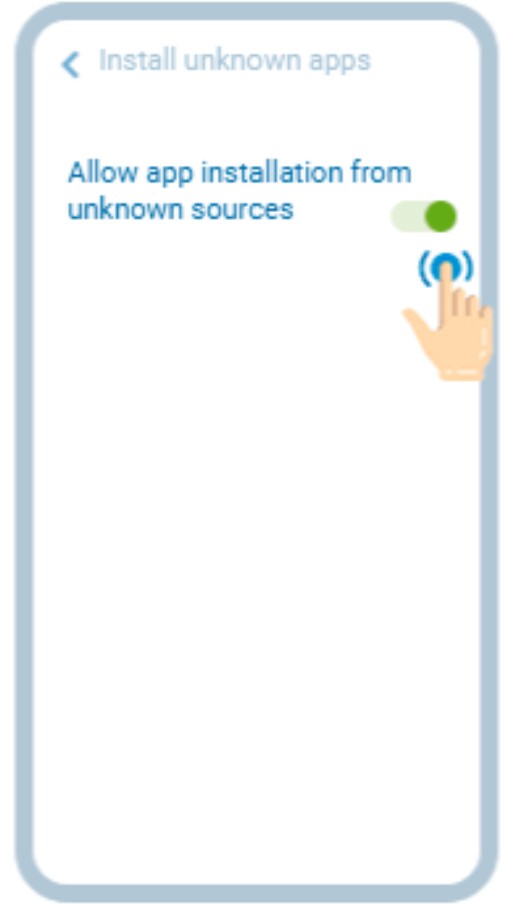
Go to your phone’s settings and enable installation from unknown sources.
Then, return to your phone’s downloads and tap on the APK file to begin the process.
Finally, launch the application after installation and sign in or create an account.
Although the bare minimum OS version for the 1xBet download may be Android 7.0+, you’re better off with 10.0+, 2GB RAM, and 200 MB of free storage.
How to Download 1xBet on iPhone? - iOS Install Guide
Due to region or location restrictions, you may not get the 1xBet iOS app from the App Store.
App Store download
But you can get the application by following these steps below:
Open the App Store, account settings, and tap on your name.
Now, click Country/Region and select any of these accepted locations: Senegal, India, Vietnam, or Mongolia.
Accept the terms of agreement.
Enter the country-specific information for your billing address. For instance, if you choose India, enter an Indian street name, city, and mobile number.
Go back to the App Store and search for 1xBet. Then, install it.
If it doesn’t show, create a new Apple ID using an accepted country as your location.
Repeat step 5 and launch the application.
How to Use 1xBet App? - First Steps after Installation
After the process is complete, you need to register an account and set it up:
Sign in to your account or sign up (if you’re new to the platform).
If it’s the latter, select a welcome bonus offer, enter the details required, and verify your identity when prompted.
Go to the home page and note where the key sections (casino, sports, and bonuses) are on the main menu.
Go to Account > Payment > Deposit, then enter the payment details and amount (not below 300 PKR).
Confirm the transaction and wait for the deposit to reflect. Then, claim the bonus.
Place qualifying bets or play eligible games.
Remember, the registration promo you select should align with what you’re engaging with. Go for the sports welcome bonus offer if you want to bet on pre-match and live markets. However, if you prefer casino games, select the respective promotion.
1xBet App vs. Mobile Browser - Which Should You Use?
Whether you should use the application or a mobile browser depends on your preferences and factors such as performance, offline content availability, push notifications, login convenience, data usage, and update requirements.
Feature | Android | iOS | Mobile browser |
Performance | High | High | Moderate. |
Offline availability of content | Full access | Full access | Limited. |
Push notifications | Yes | Yes | It may work, but not as reliably as the app. |
Login convenience | It has a biometric login. | Face ID login | It uses the traditional login method. |
Data usage | Excellent | Excellent | It consumes more data because it reloads often. |
Update requirements | It requires manual updates. | Same as Android | It updates automatically. |
1xBet App System Requirements and Compatibility
The minimum device prerequisites for installing the mobile application vary by operating system.
Android Requirements
The phone should tick these boxes:
OS version - 7.0+.
Minimum storage space - 200 MB.
RAM - 2 GB.
Internet - 4G/LTE.
Compatible devices include Samsung, OnePlus, Xiaomi, Motorola, etc. Please note that these prerequisites may change with new releases, so confirm details on the site before installing the application.
iPhone / iOS Requirements
The iPhone you use must meet these benchmarks:
OS version: iOS 12.0+.
Minimum storage: 200 MB.
RAM: 2GB.
Internet: 4G/LTE.
Compatible models include iPhone 11 and later, iPad (8th gen), iPad Mini (5th gen), and any iPad with an A12 Bionic chip or newer. On the other hand, older devices like iPhone X, XR, and XS may still run the application, but they’re increasingly excluded from new OS updates, which means less security and fewer features.
Operating system | Minimum version | Recommended version | Storage needed | Notes |
Android | 7.0+ | 10.0 and newer | At least 200 MB | You need higher RAM for smoother performance. |
iOS | 12.0+ | 16.0 and newer | At least 200 MB | Older OS versions may lack newer features. |
How to Update the 1xBet App?
The updating process differs for both platforms.
For the Android application:
Go back to the official website and download the new APK file.
Repeat the installation steps to replace the existing version.
If you’re using the iOS application:
Open the app.
Update the software directly from within the interface or go to the App Store to install the latest release.
It’s important you update the application because it fixes bugs, introduces new features, and improves the platform’s security. However, avoid updating it from third-party sources to prevent exposing your device to hackers and malicious software.
Deposits and Withdrawals Inside the 1xBet App
The application has the same deposit and withdrawal options as the desktop version. While you can deposit immediately after registering a new account, KYC must be completed before app withdrawals are allowed.
Action | What to do? | What to check? | PKR relevance |
1xBet app deposit | Tap the "+" icon or go to Menu > Top-Up. | Verify the minimum deposit for the payment method you select. | The qualifying deposit for the welcome bonus is 300 PKR. |
Withdrawal | Go to Menu > My Account > Withdraw. | Make sure you’ve completed the bonus wagering requirements and KYC verification. | Use the same payment method for the deposit. |
Always go to the official site to confirm the available deposit/withdrawal routes on the payment methods page and the minimum amounts, as they vary by option.
Common 1xBet App Problems and How to Fix Them
The table below lists the six most common issues, their causes, and how to solve them.
Problem | An operating system typically applies to | Likely cause | The fix | Where to get help? |
Download won’t start | Android/iOS | Unstable internet connection or security block from the browser | Use a strong network and tap ‘download anyway’ if the prompt shows up. | Live chat |
Installation blocked | Android | You didn’t enable installation from unknown sources. | Go to Settings Security, and enable "Install Unknown Apps" for your browser. | You can fix this yourself. |
Crashing | Android/iOS | Cache buildup or low device memory (RAM) | Clear the cache and restart the phone. | Reach out to the support via the contact form or email if the issue persists. |
Login failed | Android/iOS | Incorrect ID/Password or regional IP conflict. | Check credentials, switch off your VPN, or set it to a supported region. | Click ‘forgot password’ to reset the password or contact support if that doesn’t work. |
Profile not trusted | iOS | The developer profile is not authorized. | Go to Settings, General, Device Management, and tap "Trust" for the profile. | 1xBet iOS guide page |
It won’t update | Android/iOS | The current version conflicts with existing files. | Uninstall the current version and get the new one through the site. | Live chat or email |
1xBet App Features - What You Can Do on Mobile?
After installing the official application, you’ll have access to several features. First, there is live sports betting, where you can place wagers on ongoing games with odds that update almost constantly, along with live streaming for selected events.
Secondly, you have thousands of high-quality casino games at your disposal. The slots lobby, alone, accounts for more than half of this collection. There are also categories such as table games, crash games, live casino options, and even 1xBet games with enough titles to keep things fresh and exciting.
Thirdly, you have the bonus section with attractive offers such as the welcome package, reload bonus (for Wednesday and Friday deposits), cashback, promo code store, loyalty program, freebet, referral offer, etc.
Additionally, users have account management features that let them configure how odds are displayed, what they want to be notified of, and the currency their dashboard balance displays. This extends to enforcing responsible gambling through the imposition of deposit and loss limits. Lastly, they can seek help through the app's customer support channels, such as live chat or email, when they have an issue or a query.
Feature availability | 1xBet APK download | 1xBet app for iPhone | Mobile browser |
Live sports betting | Yes | Yes | Yes |
Slot games | Yes | Yes | Yes |
Live dealer tables | Yes | Yes | Yes |
1XGames | Yes | Yes | Yes |
Virtual sports | Yes | Yes | Yes |
Live streaming | Yes | Yes | Limited |
Bonus or promo code entry | Yes | Yes | Yes |
Account settings and limits | Yes | Yes | Yes |
Customer support | Yes | Yes | Yes |
Fake 1xBet APKs and Clone Apps - How to Stay Safe?
When you download 1xBet through sources other than the official domain, the risk of being exposed to malware, credential theft, financial data leaks, and scams significantly increases. That’s because you’re likely installing a fake or clone application, modified to steal the data or payment information.
People tend to think any APK file with the 1xBet logo is safe, but clone apps perfectly imitate the platform’s branding to lure unsuspecting users. Another myth is that unofficial APKs work the same way, but the truth is, they may contain malware or spyware, compromising the device’s security.
Thirdly, many users think the worst that can happen is password theft, but it’s actually the least of your problems. Things could get uglier with personal and financial data being exposed.
Let's show you how to check whether an application download is safe.
Step | What to verify? | Why does it matter? |
Check the domain | Confirm if you’re on the official site before interacting with the platform. | It significantly reduces the risk of using a cloned app. |
Review permissions | Be wary of apps requesting unusual access. | It limits your device's exposure to spyware. |
Verify the signature | Check if the APK file has a verified signature. | It helps you distinguish authentic apps from tampered ones. |
Avoid random APK sources | Be cautious of the 1xBet Android download through forums or pop-up pages. | It helps you avoid malware. |
Keep it updated | Only install updates from the official platform. | Security patches protect your accounts. |
What You Can Do After Downloading 1xBet? - Explore the Platform
After installing the 1xBet app and setting up or signing in to your account, take the time to explore how the platform is organized before jumping straight to sports betting markets or games. The sports section is usually the first stop for users in Pakistan, as popular sports like cricket, football, field hockey, and even virtual sports are all grouped in one place. While you’re there, check out the pre-match and live betting options to see how they work.
Next is the game lobby, which is larger than most users expect. This is where you’ll discover thousands of casino games from major providers like Spinomenal, Mancala Gaming, Winfinity, etc. Then, you head to the bonus section to see the available promotions, their offers, and terms. There, you can learn about the welcome bonus, how the loyalty program works, and whether there are no-deposit offers as well.
Support, Account Help, and Responsible Play
Just like the website, the 1xBet app offers multiple customer support options, including live chat, a contact form, email, and a phone line. If you have any queries or login/installation issues, contact support via any of the channels listed above for assistance. The platform only permits users aged 18+ to bet and encourages responsible play through tools such as deposit limits, loss limits, and self-exclusion. With these tools, you can control how much you spend or lose, and take a break if needed.
1xBet App Glossary
The table below highlights some key terms that every bettor should be acquainted with.
Terms | Definition |
APK | It’s a file containing the application software that you can download outside official app stores. |
APK Install | It’s the process of downloading an Android app on a device after enabling unknown sources. |
Unknown Sources | These are other sources outside the Play Store and require you to enable installation of apps from them before a device accepts them. |
App Store | Apple’s official digital marketplace where iOS users install apps from. |
iOS Profile | It’s a configuration file that enables you to test iOS apps outside the App Store. |
Trust Profile | It’s a step where you verify and approve a developer’s profile for installation. |
System Requirements | These are the minimum or recommended OS version, RAM, and hardware specifications that you need to run an application smoothly. For example, iOS 11.0+ and 200 MB of space. |
Cache | This is data that’s temporarily stored by an app or website to speed up loading and reduce data usage. |
Push Notifications | Instant alerts to the device for things like bonus offers, live scores, bet results, etc. |
Mobile Browser | This is a web browser optimized for phones, allowing mobile users to access the betting sites. |
In-play Betting | This involves placing bets on live sporting events with odds that update every few seconds. |
Live Streaming | Real-time video broadcasting of a match on a betting application. |